
Jasper · the AI coding terminal
AI coding agents.
One terminal.
Free.
Jasper is a desktop AI coding terminal that runs Claude Code, Codex, Copilot, Aider and Gemini side by side across your projects — with usage tracking, personas, and sessions that survive restarts. Go Pro for remote VPS terminals, or Team to run it across your company.
works with
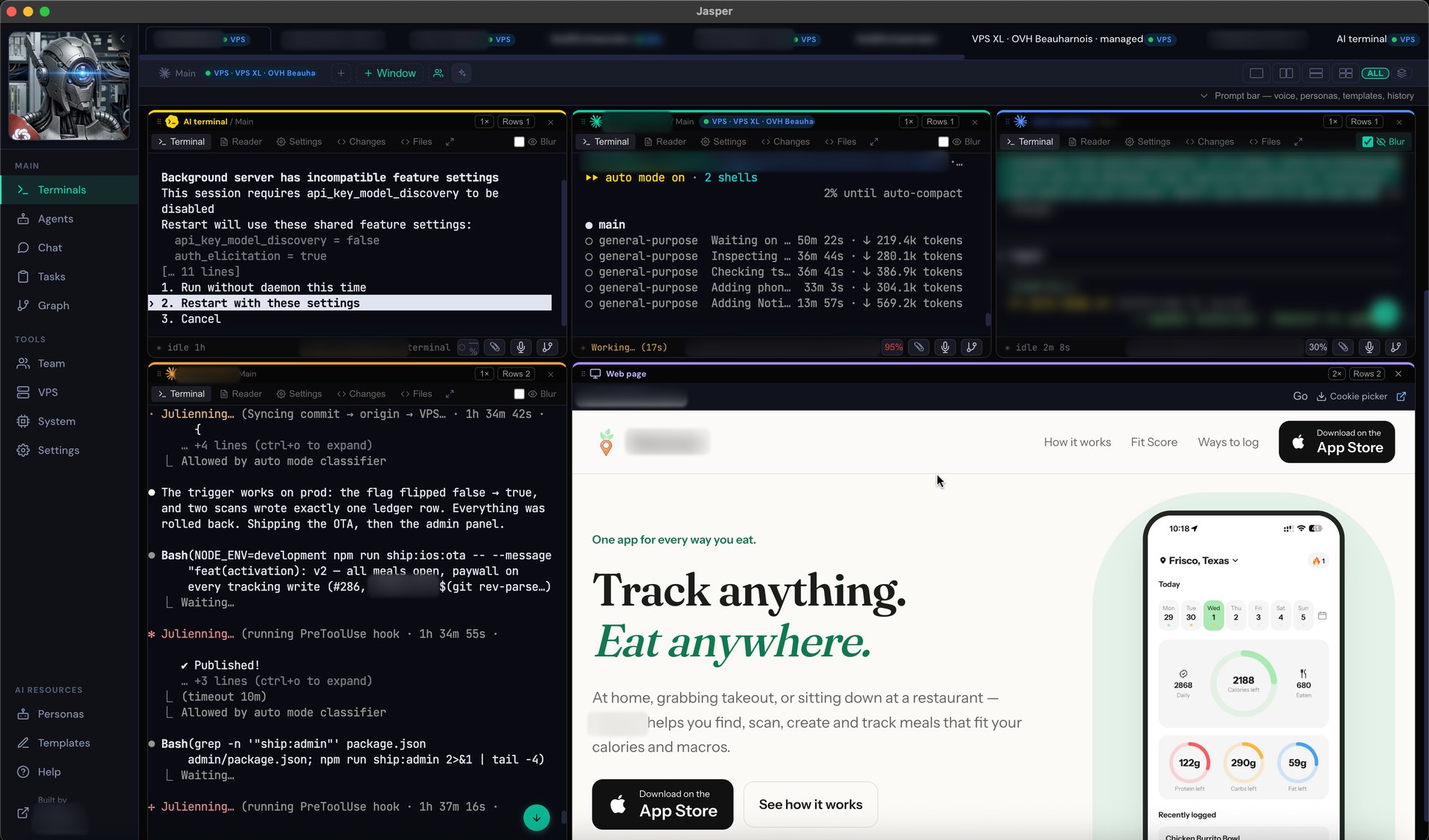
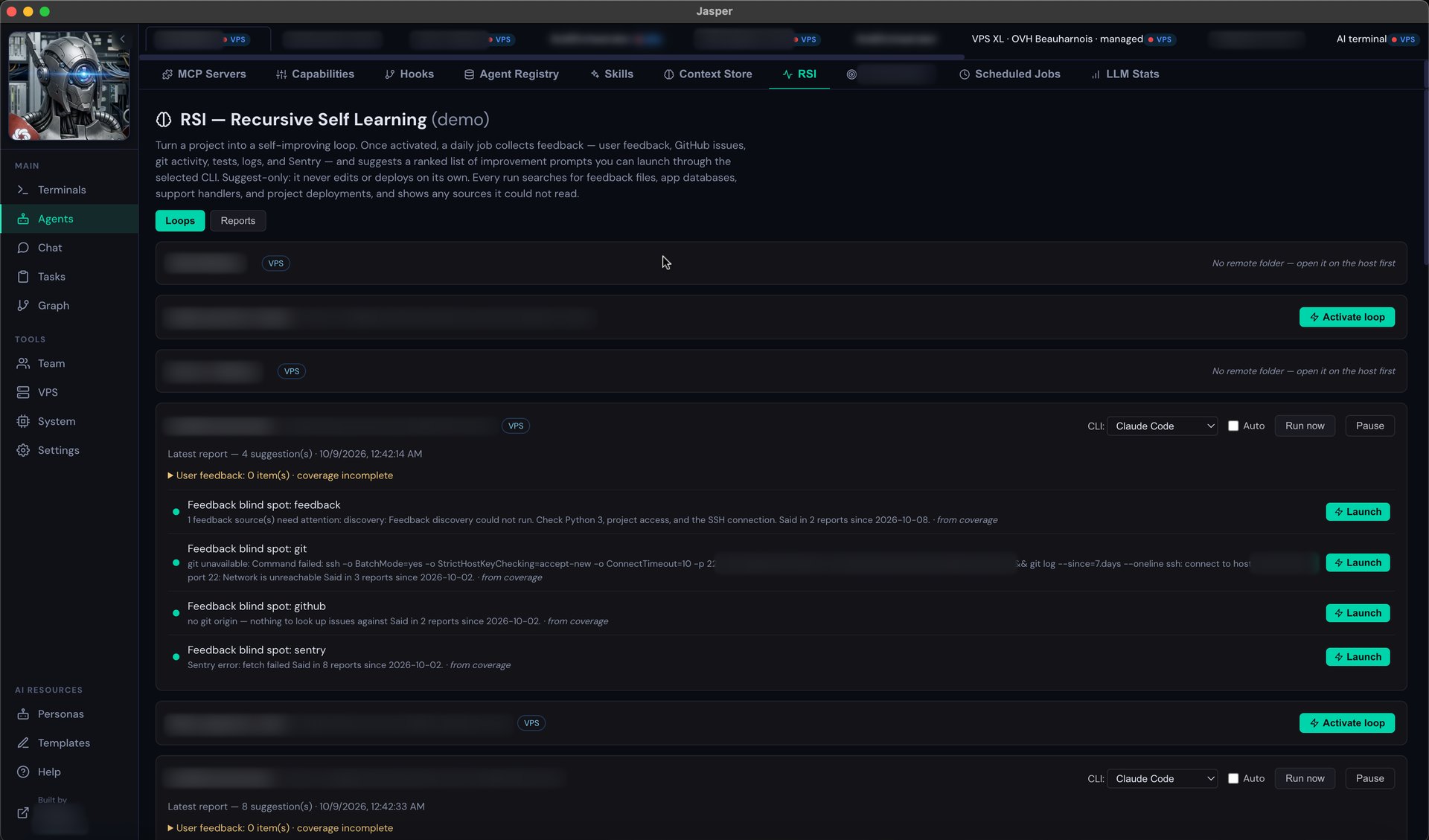
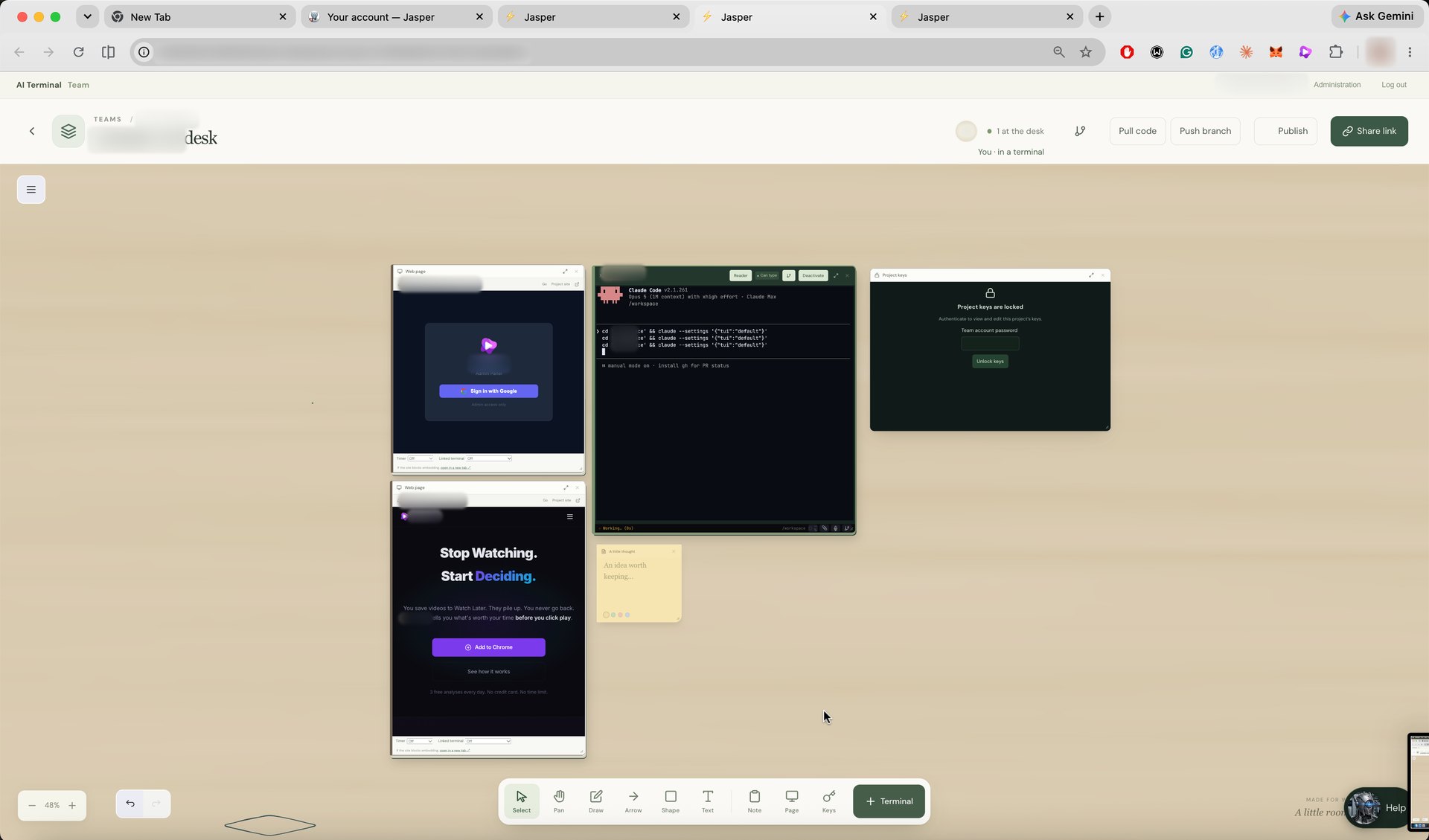
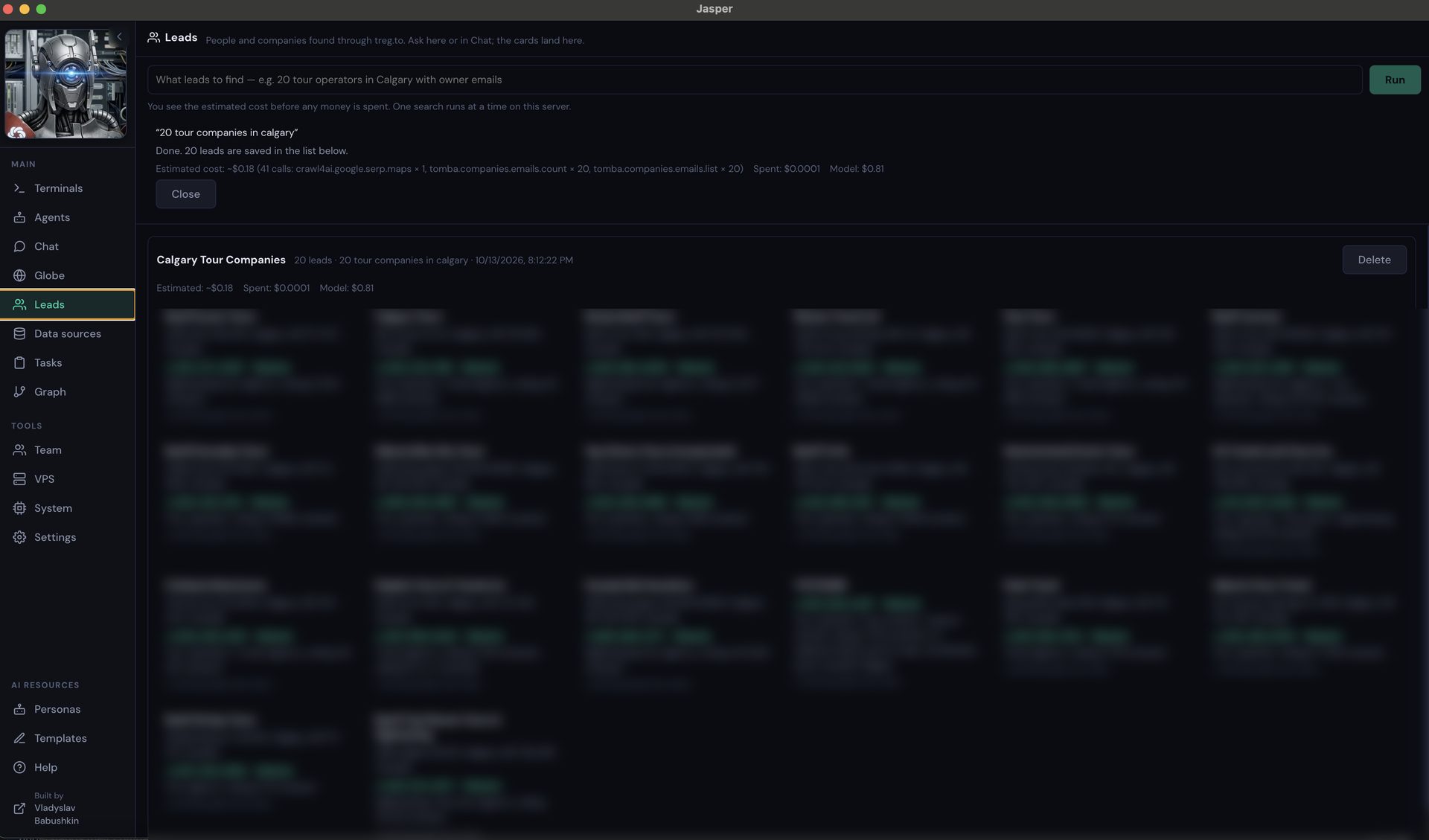
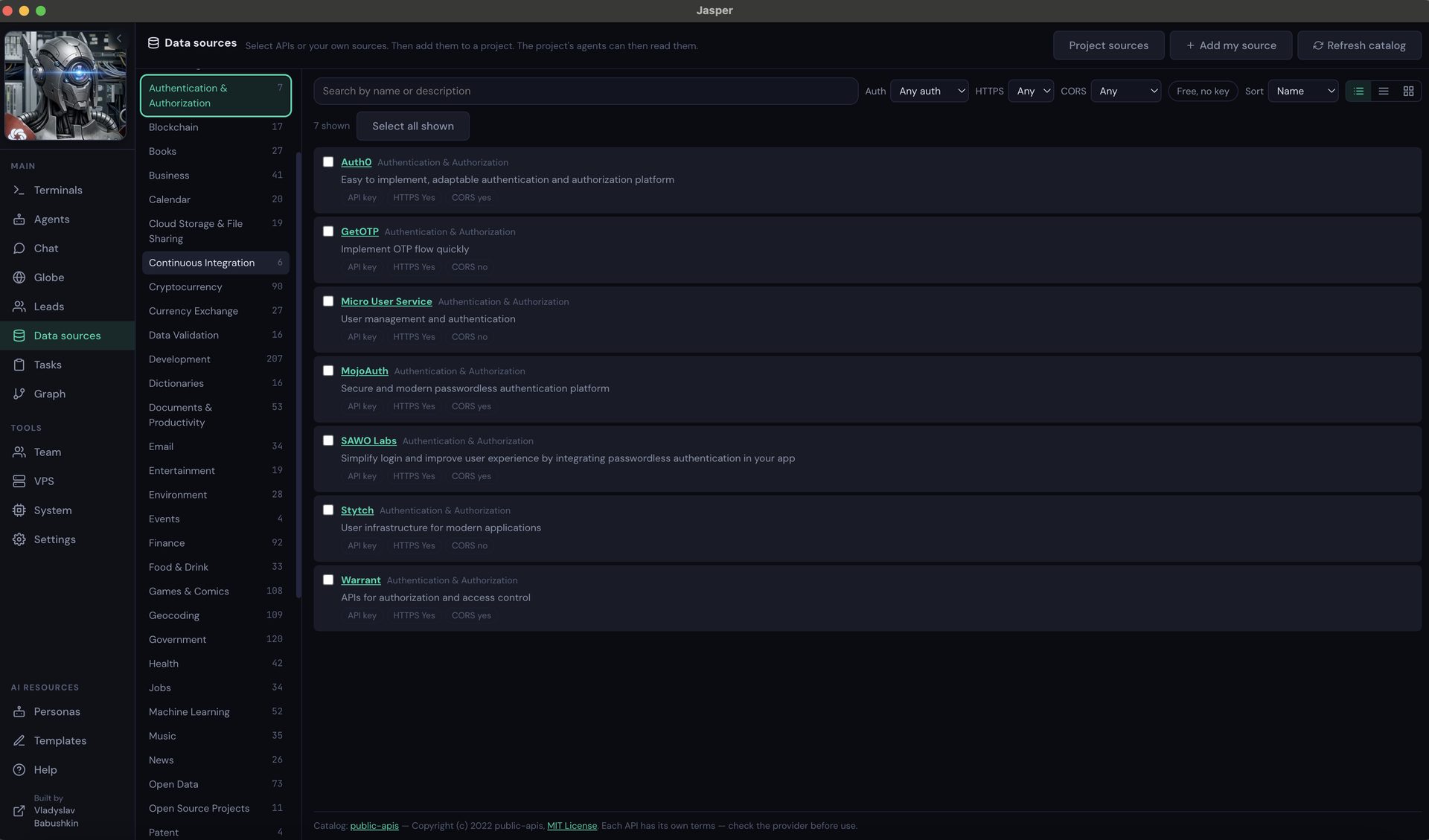
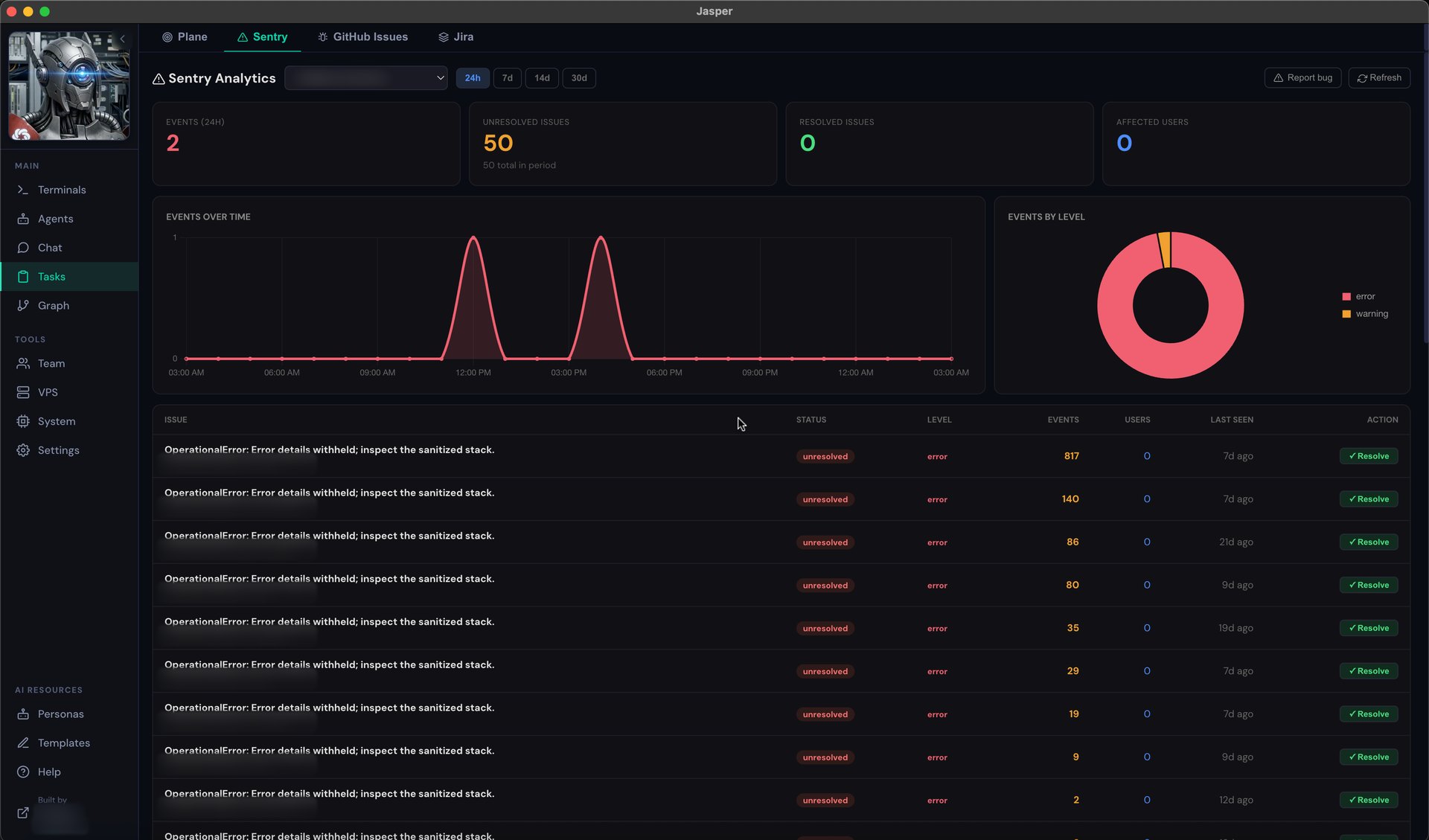
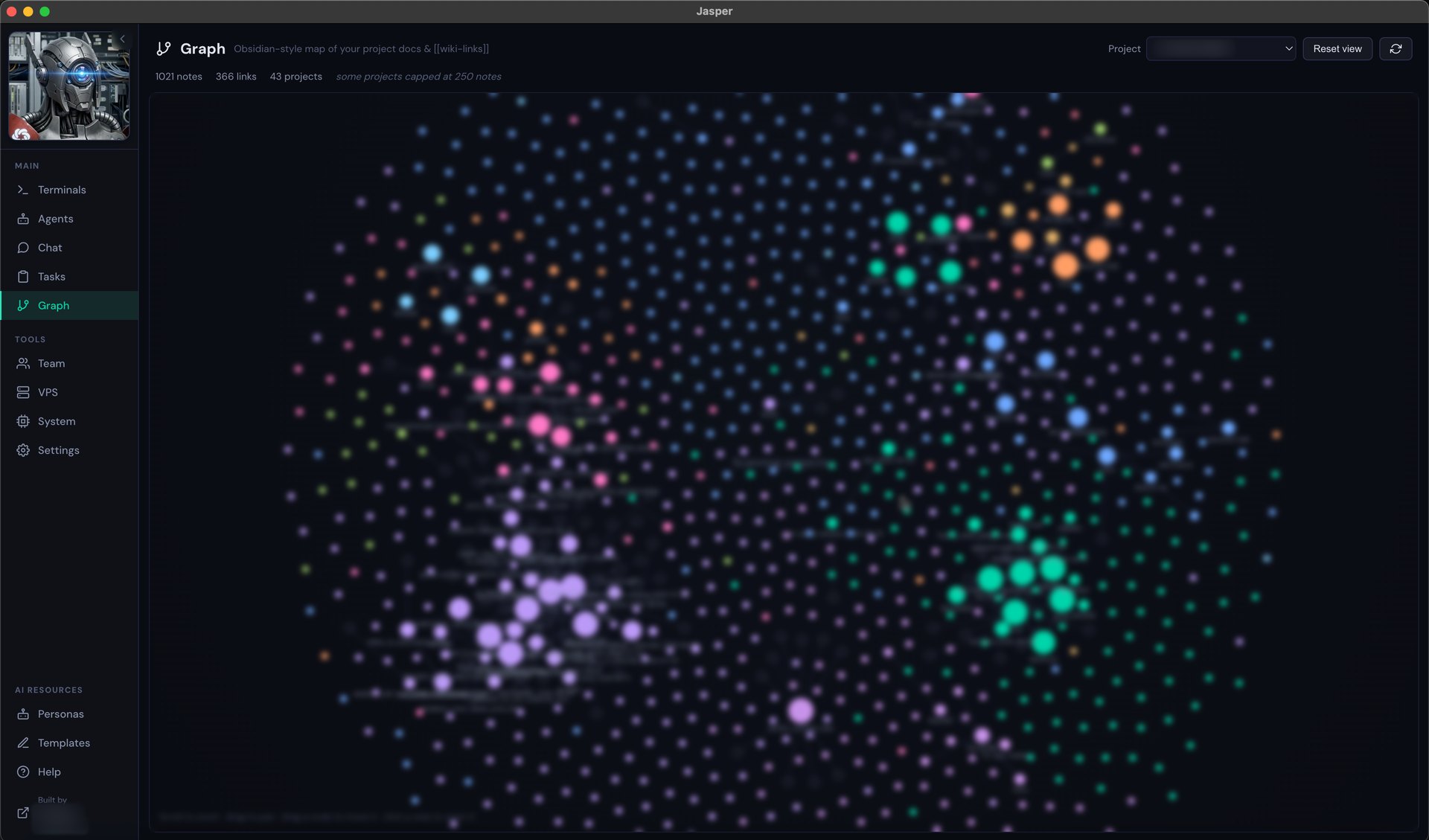
The whole terminal, on your desktop
No seat limits and no trials. Bring your own AI keys, keep your code on your machine, and open as many projects and terminals as you want.
Every AI CLI
Claude Code, GitHub Copilot, Aider, Gemini, Codex, OpenCode — or register your own. Switch tools per terminal without losing your place.
Sessions survive restarts
A detached PTY daemon keeps every session alive across reloads and updates. Close the app, reopen it, and your agents are still running.
Projects & terminals
Run a whole fleet at once — one project per client, one terminal per task. No cap, and no upsell to open the next one.
Usage & cost tracking
Tokens and dollars per model, per project, over time — read straight from your real session transcripts, never estimated.
Personas & templates
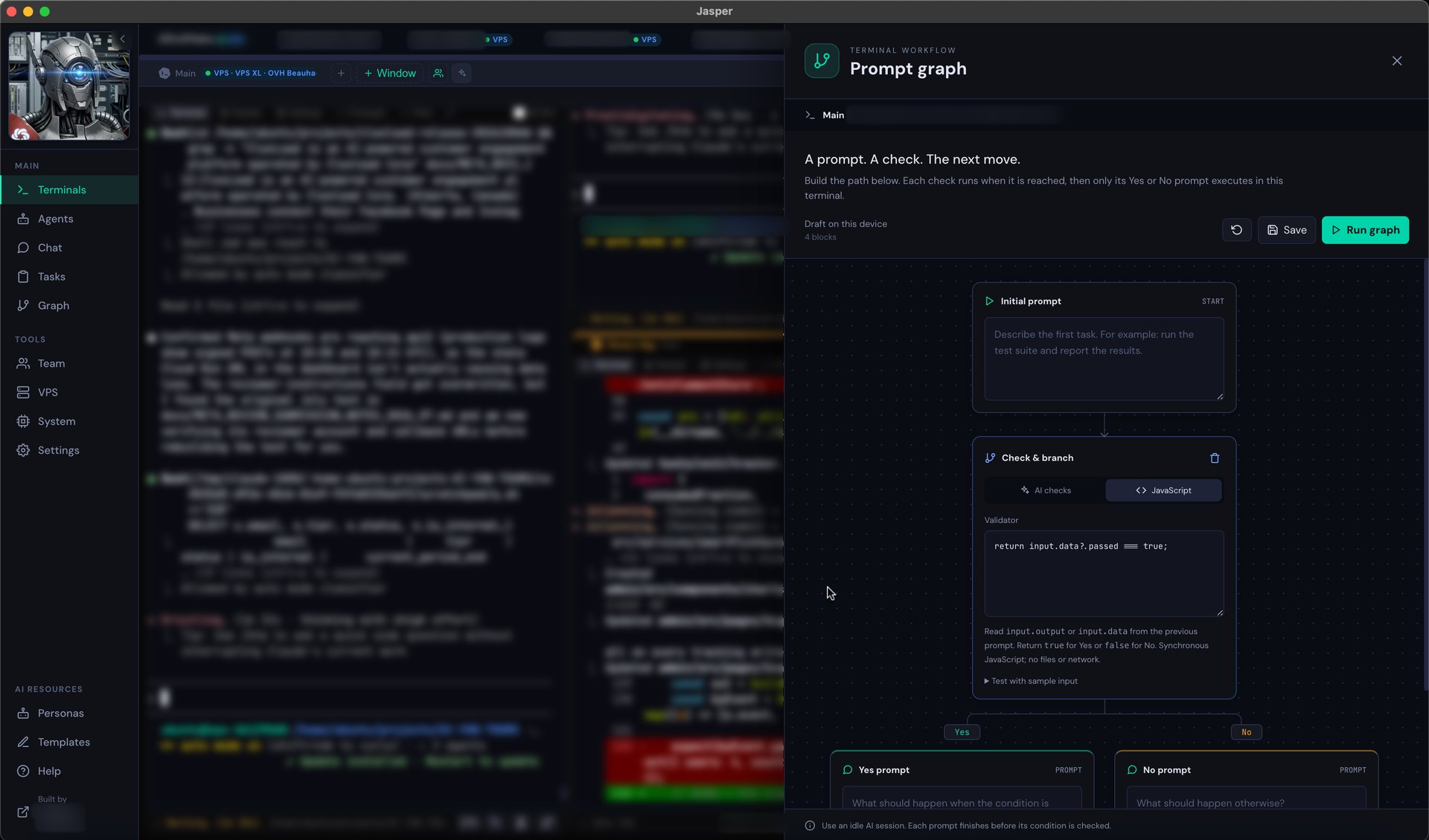
Save the prompts and system roles you reach for, then fire them into one terminal or fan them out to every terminal at once.
Yours, on your machine
The server binds to loopback only and your keys live in an encrypted local vault. Nothing leaves your Mac unless you send it somewhere.
Tasks, issues & crashes
One place for the work: GitHub issues, tasks and crash reports beside the terminal that produced them — so a failure becomes a tracked item instead of scrollback you lose.
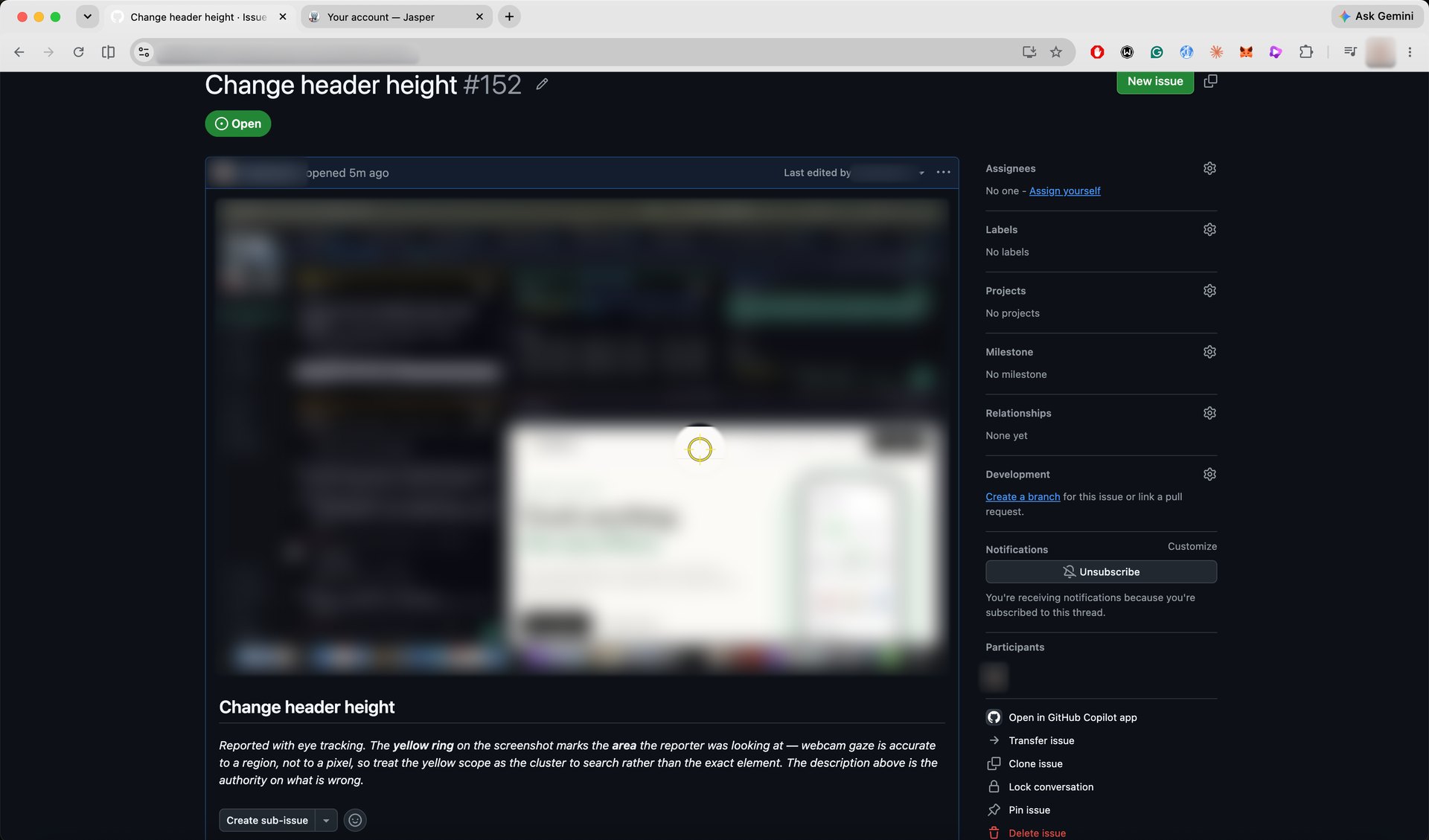
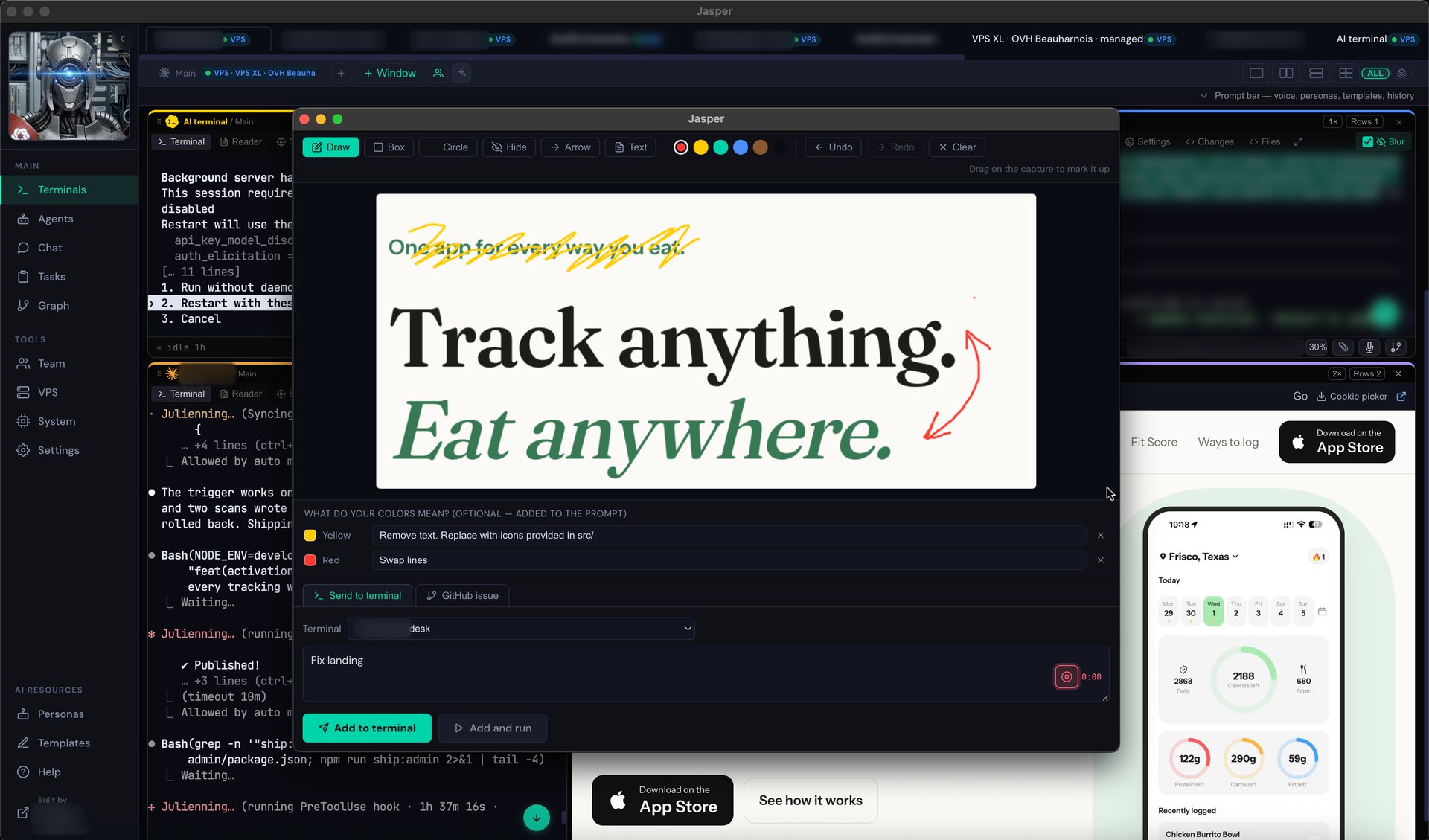
Screenshot straight to an issue
Grab the screen, annotate it, and file it as a GitHub issue with the image attached — from the machine where it broke, without leaving the terminal.
One key vault, every project
Keep API keys in an encrypted vault instead of scattered across a dozen dotfiles — set a key once and reach it from any project, without pasting it around.
Dictate, hands-free
Hold a hotkey and talk — your words are transcribed straight into the terminal your cursor is on, so a long prompt is spoken, not typed.
Slash commands & quick actions
A palette of slash commands and one-tap actions — /qa, /review, /benchmark and more — typed into whichever terminal you're on, ready to edit before you send.
Drop in files & images
Drag a file or paste a screenshot straight into a terminal — it's attached and referenced in the prompt for you, no copying paths around.
Take it off the desk
Pro is for one developer who wants more than a single machine: run agents on a box next to your code, and check in from your phone once the companion app lands.
Remote terminals over SSH
Point a terminal at a server and it runs there — the AI works next to your code and compute, not on your laptop. It reconnects and restores exactly like a local one.
- Any SSH host you own
- Browse & pick the remote folder
- Relaunches your tool on reconnect
- Or rent a managed box below
Control your projects from your phone or iPad, anywhere
Your agents run on a managed box in the cloud, so the phone is not tethered to your desk or your Wi-Fi: pair once and reach the same terminals from the train, the sofa or another country. Kick off a long job at your desk and steer it from wherever you are. In TestFlight beta now.
- Live session view — the same terminals, not a copy
- Send prompts on the go, over cellular or any network
- Push when a run finishes
Or rent the box from us — and ship your backend on it
This box is not just where the agents run. It is where your projects run. The same machine hosts your app's backend, its database and its cron jobs, on a public IP with a real disk — so you are not paying one bill for a place to code and a second bill for a place to deploy. Point a domain at it, run your deploy script, and it is live. Nothing else to rent.
Part of Pro: subscribers rent prepaid 30-day periods on a managed box. Because it is in the cloud rather than under your desk, your phone or iPad reaches those terminals from any network, and it arrives already set up — no server to find, buy or configure. The price is the box's cost plus our service margin: every card shows the split, and paying again while a period is running extends it.
We rent boxes — we do not build them to order, and we do not set up a server you already own. Every plan below is a standard machine, and the specs on the card are the specs you get. Pointing Jasper at your own SSH host is part of Team; on Pro the managed box above is the server.
Choose where your server lives
Pick an available location at checkout, before your server is created.
Canada · Beauharnois
Germany · Falkenstein
Finland · Helsinki
The same machine on Cloud Run
An AI agent has to stay resident — it holds a session, a working tree and a running CLI. On serverless that means min-instances=1 with CPU always allocated (no throttling), which bills 24/7 whether or not anything is happening.
| Machine | Cloud Run, always on | Jasper |
|---|
The arithmetic, so you can check it
An agent holds a session, a working tree and a running CLI, so it must stay resident: min-instances=1 with CPU always allocated. That bills every second whether or not a request arrives — $47.30 per vCPU and $5.26 per GiB a month at list us-central1 rates, × 730 hours. The free tier is immaterial once an instance never scales to zero.
Above 8 vCPU it is not a price question
Cloud Run caps at 8 vCPU / 32 GiB per instance. The two largest boxes here have no serverless equivalent at any price — not an expensive option, no option.
It is a computer, not a request handler
A Cloud Run instance has no shell, no SSH, and a filesystem wiped on every deploy — an agent cannot keep a working tree there at all, so there is nothing to compare. Your box has 40–200 GB of real disk, a home directory that survives reboots, and a terminal you can attach to from your phone. That is the difference. The cheaper bill is just a bonus.
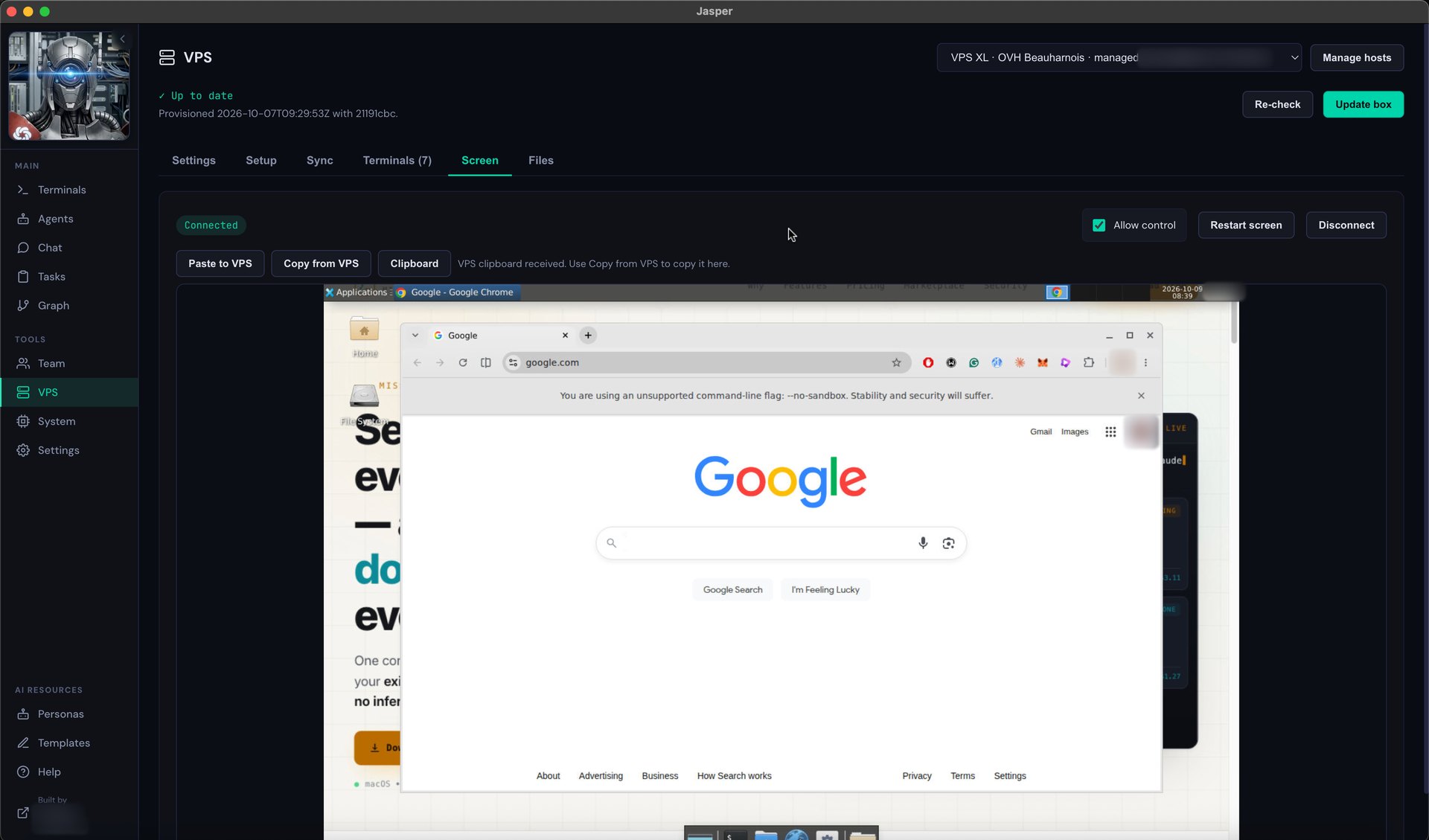
A real desktop, on screen, in the app
The box runs a full XFCE desktop with Chrome and Obsidian on it, and the app opens that screen in a tab — no VNC client to install, no separate remote-desktop tool. Watch an agent drive a browser, read a rendered page, click through your own staging site. The VNC port is bound to localhost only and reached through the app's SSH tunnel, so the desktop is never exposed to the internet.
The whole toolchain, already installed
It arrives with Claude Code, Codex, GitHub Copilot CLI, Gemini CLI, Qwen Code and opencode installed and on PATH, plus Node 20, git, GitHub CLI, ripgrep and graphviz. First boot to first agent is one ssh away — no toolchain afternoon, no version archaeology, nothing to apt-get.
Cloud Run figures are Google's published us-central1 list rates for always-allocated CPU ($0.000018 per vCPU-second, $0.000002 per GiB-second) × 730 hours — one instance, nothing else. Egress, logging, Artifact Registry and a database are extra on both sides and are not in this table. Cloud pricing changes and varies by region: check the current calculator before relying on these numbers.
Run it across a company
Team is Pro for everyone, plus the parts a company needs. Per-member logins and per-project access work today, with the org controls below rolling out.
Invite people to the projects you choose works today
Give each teammate their own login and grant them specific VPS projects. They open terminals only where you allow, you watch their sessions live, and access is revoked the moment they leave — no shared passwords, no orphaned keys.
Centralized billing seat management today
Seats are managed in one place — add or remove somebody and the seat frees immediately. One consolidated invoice is rolling out with our first Team customers; today the plan is quoted and billed on a call.
User & role management works today
An admin console for who's on the team and what they can reach. Assign roles, group by project, change access in one place.
Single sign-on OIDC works today
Sign in through your identity provider — Google Workspace, Okta, Entra, Auth0, or any OIDC provider. People use the company login they already have. SAML specifically is not supported yet; ask us if you need it.
Audit logs works today
A record of who opened which terminal, on which host, and when. Export it for review when someone asks who did what.
Security policies works today
Org-wide rules: which hosts are allowed, session timeouts, required approvals — enforced for everyone, not left to each person.
One-click on/offboarding works today
Add a new hire to the right projects in seconds; cut a departing one off from all of them just as fast. Access never lingers.
Three tiers, no surprises
Pro is a flat monthly subscription that unlocks managed VPS rental and the mobile app — the boxes themselves are priced per size below, at cost plus our service margin. Team is quoted per company on a call.
The full desktop terminal. No card, no trial clock.
- Every AI CLI, unlimited terminals
- Unlimited projects
- Sessions survive restarts
- Usage & cost tracking
- Personas, templates & automations
- Encrypted local key vault
- Mobile companion (TestFlight beta)
- Managed VPS terminals
- Teams, SSO & admin
No account needed for the free build.
For one developer who wants off the desk.
- Everything in Free, plus
- Managed VPS terminals — a box that runs your agents
- VPS provisioning bundle — turn any box into a Jasper host
- Deploy straight to your box — no server to find, buy or set up. It arrives configured; point a domain at it and ship.
- Mobile companion — TestFlight beta
- Priority email support
- Teams & collaboration
- SSO, audit logs & admin
For teams and companies that share the work.
- Everything in Pro, plus
- Teams — invite people to projects, per-project access
- Centralized billing
- User & role management
- SSO / SAML sign-in
- Audit logs
- Security policies
- On/offboarding
Quoted per company — no public number to walk back.
Get the client
Every build below comes from the account server's own catalogue — availability, plan gates and release links are whatever it actually has configured. Nothing here is a mock link.
Book a demo
Running agents across a lot of projects, or a team that needs shared access and accountability? Leave your email and we'll show you Jasper on a call — and tell you honestly what works today and what's still being built.
Start with the workflow you need
Set up your AI coding terminal
Install Jasper, connect your existing AI tools and open your first project.
Run coding agents on a VPS
Understand SSH terminals, persistent sessions and managed remote machines.
Share a workspace with your team
Organize project boards, container terminals, Git sync and member access.
Questions, answered plainly
What is Jasper?
Jasper is an AI coding terminal for developers. It brings Claude Code, Codex and other command-line coding agents into one desktop workspace, with separate project terminals, persistent sessions and usage tracking. Pro adds remote SSH and managed VPS terminals; Team adds shared projects and access controls. This is the developer tool at agent-jasper.com. Read the getting started guide.
What does the desktop app cost?
The core terminal has no seat limits, trials, or feature gates. You pay for the Pro add-ons: managed VPS terminals and, once it ships, the mobile companion — or the Team layer.
Which AI tools does it work with?
Thirteen agents ship as built-in presets: Claude Code, Codex CLI, Gemini CLI, Qwen Code, GitHub Copilot CLI, Cursor Agent, Amp, Kiro CLI, Mistral Vibe, OpenCode, Aider, Hermes Agent and Augment. You can register any other CLI you use. Each terminal can run a different tool.
Do I need my own API keys?
Yes. You bring your own accounts and keys for whichever AI tools you use — Jasper orchestrates them, it doesn't resell tokens. Keys are stored in an encrypted local vault, never in plain text.
Is my code private?
The server runs on loopback only, so nothing is exposed to your network by default. Your projects stay on your machine. With Pro's remote terminals, work runs on a VPS you control.
How is Pro priced?
Pro is a flat subscription (the exact monthly and annual amounts are on the pricing card — annual is two months free). It unlocks renting a managed box and the mobile app. The boxes are separate: prepaid 30-day blocks priced at the box's cost plus our service margin — every card shows that split — and paying again while a period runs extends it from its end rather than restarting the clock.
What's the difference between Pro and Team?
Pro is for one developer — it adds remote and managed VPS terminals to the free desktop, with a mobile companion in TestFlight beta. Team is for a group: everything in Pro for everyone, plus shared projects, centralized billing, SSO, audit logs, security policies, user management and one-click on/offboarding — the controls a company needs to keep access accountable.
Do you support SSO and audit logs?
Most of it works today: per-member logins with per-project access grants you can revoke, roles, one-click on/offboarding, an exportable audit log, org-wide security policies, and single sign-on through any OIDC provider. Two things are not done and we won't pretend otherwise — SAML specifically (OIDC covers Google Workspace, Okta, Entra and Auth0; SAML does not work yet) and one consolidated invoice, which is rolling out with our first Team customers. If either is a hard requirement, tell us on a call and we'll be straight about timing.
Is the mobile app available?
It's in TestFlight beta — an iOS build you can install today, not yet on the App Store. Everything else described here runs on the desktop app.
Is this the same as Jasper AI (jasper.ai)?
No. Jasper at agent-jasper.com is a desktop terminal for AI coding agents. It is not related to Jasper AI at jasper.ai, the AI writing tool for marketing teams.
Can I cancel anytime?
Yes. Cancelling drops you back to the free desktop terminal — which keeps working exactly as before. Your local sessions and projects are never held hostage.